
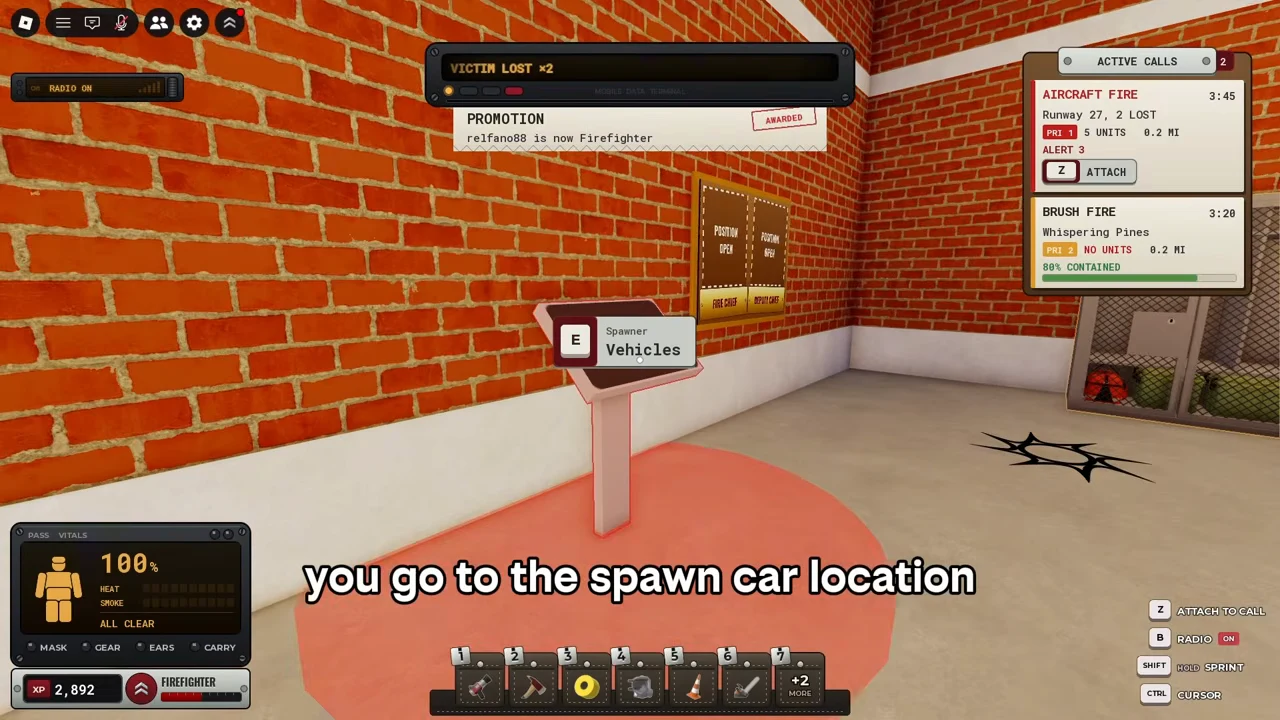
Choose a station, spawn an owned engine, attach to a call with Z, and do the work at that incident. For the observed house fire, the crew extinguishes the fire and gets the trapped victim outside. Read the incident report before recording your result.
This walkthrough follows Ricoko’s PC house fire at 294 East Avenue, observed 8 October 2026. Teammates are present. It demonstrates a usable sequence, not a guaranteed solo route, optimal rescue order or XP formula.
1. Find the vehicle spawner in the station
At the garage-side pedestal, approach the E Spawner — Vehicles prompt. Press E to open the menu. Choose the Fire Engine marked FREE & OWNED in this recording. It appears in the garage. Other menu entries depend on your progress; use the vehicle snapshot to read the difference between owned, XP and streak entries.
Watch the observed action at 0:13.
2. Attach to the incident you intend to work
Read the ACTIVE CALLS card at the top right. In this example it says HOUSE FIRE, 294 East Avenue, 1 TRAPPED. Press Z when the card offers ATTACH. The stamp changes to ATTACHED and the prompt becomes Z DETACH. Follow that call’s displayed location and distance; do not confuse a different call’s dispatch message with your assigned incident.
Watch the observed action at 0:31.
3. Arrive, then equip the mask
At the house, select the SCBA mask shown in slot 4 in this loadout. The right-side prompt says PUT ON MASK with a mouse button icon. Use the displayed mouse action; the footage then shows green MASK and GEAR indicators. Slots can change with your loadout. A mask does not make your body meter safe indefinitely.
Watch the observed action at 0:49.
4. Spray a visible fire with the hose
Select the water hose shown in slot 1. In this example a hose line runs back to the nearby engine. Hold the displayed SPRAY mouse action and aim at the burning surface. A circle changes from red to blue as that spot is extinguished; other areas may still be burning. No separate coupling interaction is shown, and the maximum range and water supply rules are unknown.
Watch the observed action at 1:00.
5. Open a blocked route and find the victim
Select the fire axe shown in slot 2. The PC prompt offers SWING and HOLD HEAVY SWING. Use it at the closed door; the observed next state is an open doorway. Check rooms for the person icon and help bubbles. If your body percentage is dropping, retreat out of the danger area and monitor it rather than assuming the mask is enough.
Watch the observed action at 1:11.
6. Carry out, put down, then check the rescue
Approach the victim until E Victim Carry appears. Press E, move out of the house, and use E Victim Put Down outside. The recorded drop is on the driveway near the parked fire engines, with teammates already having extinguished the fire. The next feedback is VICTIM RESCUED. See the rescue walkthrough for the exact before/after states; a universal drop-zone radius is not established.
Watch the observed action at 1:42.
7. Check the incident report, then log your own shift
At the end of this call, CODE 4 replaces the active incident and the report shows 1/1 ALL SAVED. Read the address, victim count, grade and settled XP on your own report. An unrelated call may generate a report while you are working elsewhere. A separate VendoPlus recording ends with NOT CREDITED — Too little time or work and +0 XP: a closed call alone does not prove you earned personal credit.
Watch the observed action at 1:58.
After your first call
Tick the separate first-call checkbox in the Badge Planner when you actually finish a call. Record your session time, calls and living rescues in the Shift Log. Leave XP blank if you did not observe a reliable delta. These are your notes, not account verification.
If this screen looks different
The official experience supports PC, mobile and console. The actions above are observed PC prompts. Mobile and controller mappings, seat-entry controls, solo completion limits and participation thresholds are not verified here. Follow the matching prompt in your current game rather than treating a PC key as a mobile instruction.
See the recorded action
Ricoko’s cooperative PC house fire, 8 Oct 2026. Loading the video contacts YouTube. The written steps work without playback.